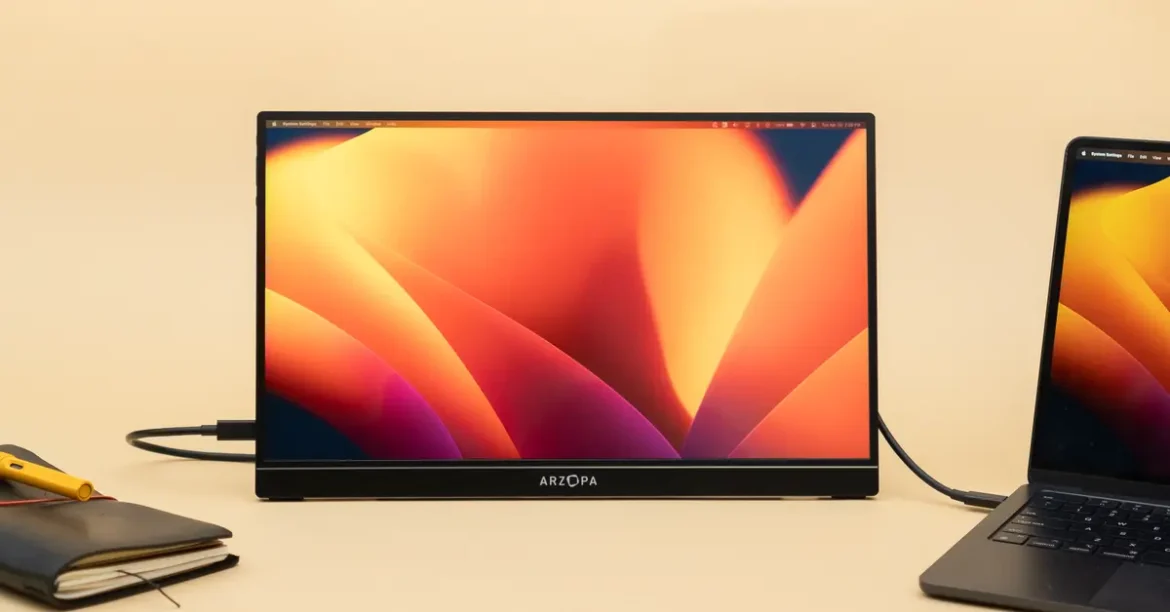
A portable monitor gives you the benefits of a dual-screen desk without permanently occupying your workspace. It can travel inside a laptop bag, operate from a USB-C connection, and be ready within seconds in a hotel room, shared office, classroom, or café.
Portable monitors are not all interchangeable, however. Differences in connectivity, resolution, brightness, weight, power requirements, and stand design can have a major effect on usability. This guide explains what to examine before buying and highlights several models for different types of users.
Recommended Portable Monitors at a Glance
| Portable Monitor | Screen | Standout Feature | Recommended For |
|---|---|---|---|
| Dell Pro 14 Plus P1425 | 14-inch, 1920 × 1200 IPS | 65W USB-C power pass-through | Business travel and remote work |
| Lenovo ThinkVision M14t Gen 2 | 14-inch, 2240 × 1400 IPS | Touch and pen support | Presentations, notes, and design work |
| ASUS ZenScreen MB16QHG | 16-inch, 2560 × 1600 IPS | 120Hz refresh rate | Work and portable gaming |
| LG gram +view 17MT70 | 17-inch, 2560 × 1600 IPS | Large display with wide color coverage | Creators and users wanting more workspace |
What Is a Portable Monitor?
A portable monitor is a thin, lightweight external display designed to travel with a laptop, tablet, smartphone, or game console. Most models measure between 14 and 17 inches and include a folding cover, integrated kickstand, or removable stand.
Unlike a tablet, a conventional portable monitor does not run applications independently. It receives a video signal from another device and functions as an additional display.
Many current models can receive video and power through one USB-C cable. Others also include mini-HDMI or full-sized HDMI connections for game consoles, older laptops, cameras, and other equipment.
Why a Portable Monitor Can Improve Productivity
More room for multitasking
A second screen allows you to keep a reference document open while writing, monitor email without hiding your main application, or view participants during a meeting while taking notes on the laptop.
For people accustomed to using two monitors in an office, a portable display can make working away from the desk feel considerably less restrictive.
A more flexible home office
Not everyone has room for a permanent desk and full-sized monitor. A portable display can be stored after work, making it suitable for dining tables, shared bedrooms, and other multipurpose spaces.
Portable entertainment
Some portable monitors accept video from game consoles, smartphones, and streaming devices. They can provide a larger screen for gaming or watching video when a television is unavailable.
Better presentations
Instead of turning a laptop toward a client, you can place the portable screen on the opposite side of the table. A touchscreen model can also be useful for interactive demonstrations, signatures, drawing, and annotation.
The Most Important Feature: Connectivity
Do not assume that every USB-C port can send video. A laptop’s USB-C connection must support DisplayPort Alternate Mode, Thunderbolt, or another compatible video-output standard.
A USB-C port used only for charging or basic data transfer may not work with a portable monitor. Check the laptop’s technical specifications or look for a DisplayPort or Thunderbolt symbol beside the port.
If the computer does not support video over USB-C, choose a monitor with HDMI or mini-HDMI input. This arrangement may require two cables: one for the video signal and another for power.
Mac, Windows, ChromeOS, Android, gaming-console, and tablet compatibility can also differ. Touch controls, automatic screen rotation, and brightness software may require additional drivers or may not work on every operating system.
How Much Resolution Do You Need?
Full HD resolution—usually 1920 × 1080—is adequate for email, spreadsheets, web browsing, and general office work on a 14- to 16-inch screen.
A 1920 × 1200 display provides additional vertical space through its 16:10 aspect ratio. This is useful for documents and websites because more content can be shown without scrolling.
Higher resolutions such as 2240 × 1400 or 2560 × 1600 produce sharper text and provide more workspace. However, small interface elements may require display scaling, and the higher resolution can place more demand on a laptop’s graphics hardware and battery.
Photographers, video editors, designers, and anyone working with detailed visual content will generally benefit more from a high-resolution panel than someone who mainly reads email.
Recommended Portable Monitors
Dell Pro 14 Plus Portable Monitor P1425: A Dependable Work Companion
The Dell Pro 14 Plus P1425 is designed around straightforward business use. Its 14-inch IPS panel has a 1920 × 1200 resolution and a productivity-friendly 16:10 aspect ratio.
Two USB-C connections allow the monitor to receive video and provide power pass-through of up to 65 watts. With a suitable laptop charger, power can pass through the monitor to the connected computer, reducing cable clutter.
The screen can also be used in landscape or portrait orientation. Portrait mode is particularly useful for reading lengthy documents, reviewing web pages, working with code, or monitoring social media feeds.
Recommended for: Remote workers, consultants, business travelers, and anyone who wants a reliable second screen without unnecessary gaming features.
Lenovo ThinkVision M14t Gen 2: For Touch and Pen Input
The Lenovo ThinkVision M14t Gen 2 combines a 14-inch 2240 × 1400 IPS panel with 10-point touch capability.
It supports up to 4,096 levels of pressure when used with a compatible pen. This makes it useful for handwritten notes, drawing, signing documents, marking presentations, and navigating touch-friendly applications.
The monitor covers 100% of the sRGB color space according to Lenovo, making it more suitable for visual work than many inexpensive portable displays with limited color reproduction.
Recommended for: Designers, presenters, educators, students, and professionals who will genuinely use touchscreen or pen input.
Check before buying: Touch and pen behavior depends on the connected device and operating system. Confirm compatibility with your exact computer rather than assuming every feature will work automatically.
ASUS ZenScreen MB16QHG: A Strong Work-and-Gaming Hybrid
The ASUS ZenScreen MB16QHG has a 16-inch 2560 × 1600 IPS display with a 16:10 aspect ratio.
Its 120Hz refresh rate makes scrolling and motion appear smoother than on a conventional 60Hz business monitor. That improvement can be appreciated during everyday work, but it is especially relevant for gaming.
The monitor also supports DisplayHDR 400 and covers 100% of the DCI-P3 color gamut according to ASUS. Connectivity includes USB-C and HDMI, making it more flexible than a USB-C-only model.
An integrated kickstand supports both landscape and portrait use, while a tripod socket provides additional mounting possibilities.
Recommended for: Buyers wanting one portable display for productivity, entertainment, and gaming.
LG gram +view 17MT70: More Space for Creative Work
The LG gram +view 17MT70 provides a larger 17-inch workspace while remaining relatively portable.
Its 2560 × 1600 IPS panel uses a 16:10 aspect ratio and covers up to 99% of the DCI-P3 color space. The larger display makes timelines, editing tools, wide spreadsheets, and side-by-side documents easier to manage.
It weighs approximately 780 grams and includes two USB-C connections, mini-HDMI, an integrated kickstand, and built-in speakers. The mini-HDMI port also makes it easier to connect equipment that cannot output video over USB-C.
Recommended for: Photographers, video editors, content creators, and users willing to carry a slightly larger screen in exchange for more working space.
Features That Matter More Than Marketing Claims
Brightness
A dim screen may look acceptable indoors but become difficult to use near a sunny window or outdoors. If you frequently work in bright environments, prioritize a higher brightness rating and an anti-glare surface.
Stand stability
A portable monitor is only useful if it remains stable at a comfortable viewing angle. Integrated kickstands are generally more convenient than folding covers, although covers provide extra protection during transportation.
Weight with accessories
Manufacturers often advertise the weight of the display alone. Remember that the protective cover, charger, stand, and cables will also be carried in your bag.
Power consumption
A monitor powered directly by a laptop will reduce the laptop’s battery life. For long sessions, use an external charger or select a monitor that supports power pass-through.
Built-in speakers
Some portable monitors include speakers, but their sound is rarely comparable to good headphones or dedicated external speakers. Treat built-in audio as a convenience rather than a primary reason to buy.
What Gamers Should Look For
For casual console gaming, a 60Hz Full HD monitor may be sufficient. Competitive and fast-paced games benefit from a 120Hz or 144Hz refresh rate, provided the connected device can produce a compatible frame rate.
Console users should look for HDMI input because consoles do not always support direct USB-C display output. Check the monitor’s supported resolution and refresh rate over HDMI, as these may differ from what is available through USB-C.
Response time, adaptive synchronization support, headphone output, and built-in speakers may also influence the gaming experience.
Frequently Asked Questions
Can a portable monitor work with any laptop?
Not necessarily. The laptop must have a compatible video output. USB-C models require a port that supports video, while HDMI models need the appropriate HDMI connection or adapter.
Can I connect a portable monitor to a smartphone?
Some smartphones can output video over USB-C, but many cannot. The phone must support a compatible desktop, screen-mirroring, or DisplayPort Alt Mode feature.
Does a portable monitor need its own charger?
Some models receive sufficient power from the connected laptop. Others need a separate power source, especially when using HDMI or operating at high brightness.
Is a portable monitor worth buying for occasional travel?
It can be worthwhile if your work regularly involves comparing information or using several applications simultaneously. For short trips involving only basic email and browsing, the additional weight may not be justified.
Final Recommendation
The Dell Pro 14 Plus P1425 is a practical choice for traditional business work. The Lenovo ThinkVision M14t Gen 2 is better for buyers who need touch and pen input, while the ASUS ZenScreen MB16QHG provides a strong balance of resolution, color, and smooth 120Hz performance.
For creators who want the largest practical workspace, the LG gram +view 17MT70 is especially compelling.
Before purchasing any portable monitor, verify the ports on your computer. Resolution and image quality matter, but the most impressive display is useless if your laptop cannot send it a video signal.